Small enough to upload.

Minnka makes phone videos small enough for email, school portals and upload forms. Choose the size limit, and Minnka picks the best quality that fits.

Coming to the App Store · iPhone, iPad and Mac Will my video fit?

For iOS 17 and macOS 14 or later. Apple silicon and Intel Macs.

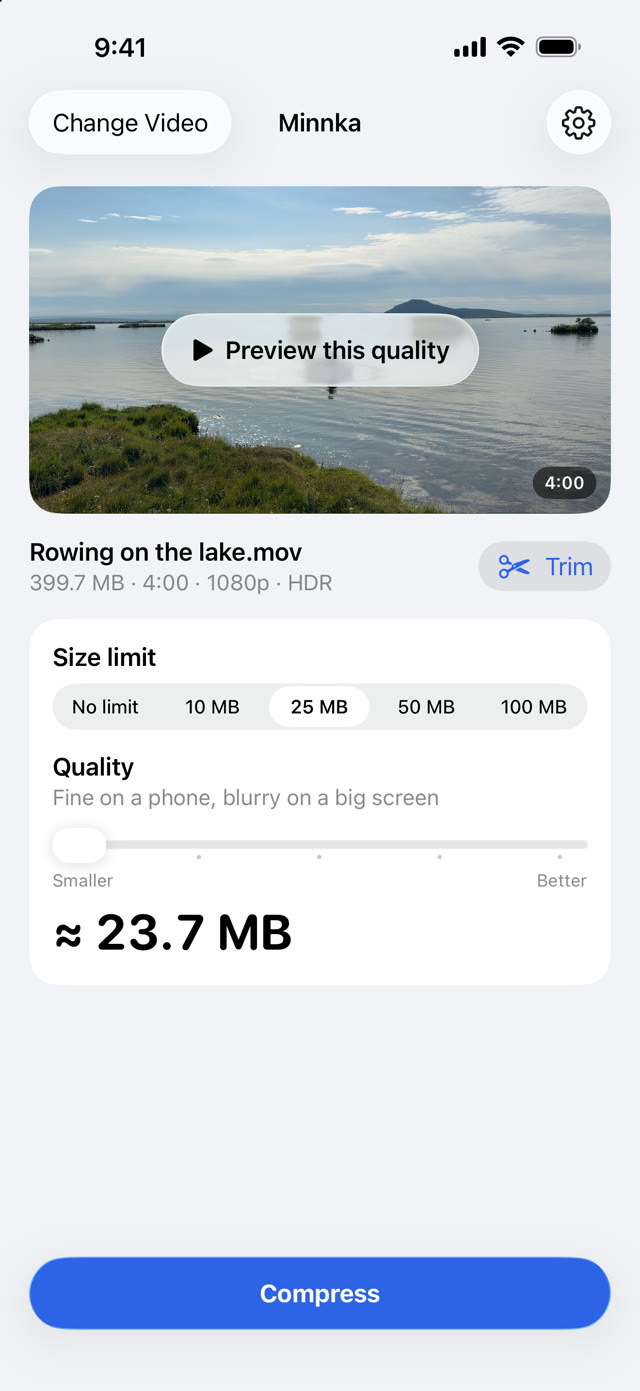
Minnka on iPhone with a 4-minute video of 399.7 MB. The size limit is 25 MB and the estimate is about 23.7 MB.
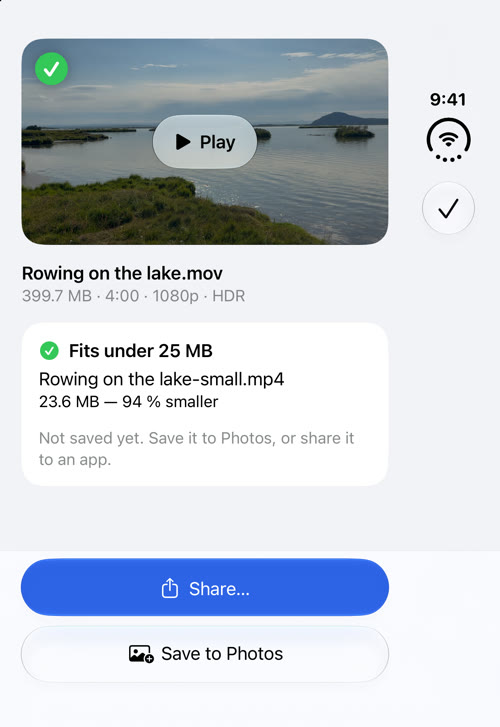
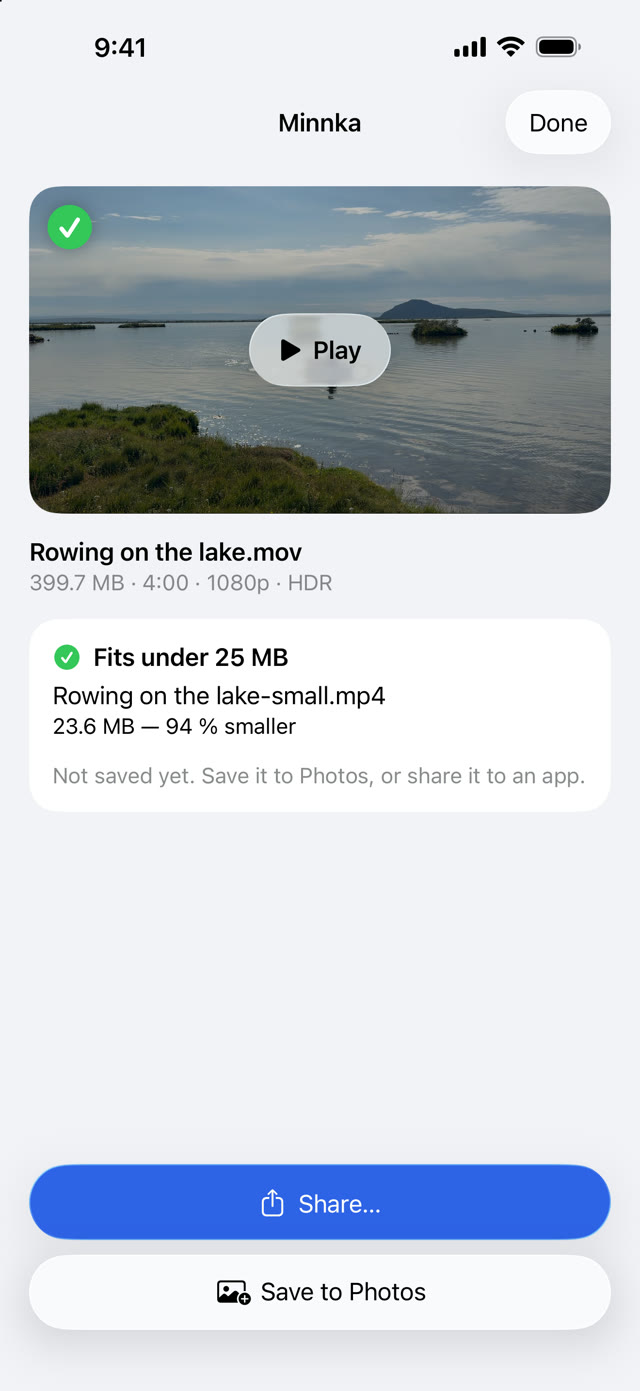
Rowing on the lake.mov399.7 MB
Rowing on the lake-small.mp423.6 MB

4 minutes of iPhone video, 25 MB limit. 94 % smaller.

How it works

One video, one limit, one button.

Pick a video from Photos or Files, or share it to Minnka from Photos. Then choose how small it has to be. Your original stays as it is.

  1. Size limit 25 MB selected, about 23.7 MB

    Choose the limit

    Tap 10, 25, 50 or 100 MB, whatever the upload page allows. Minnka picks the best quality that fits and shows the size before you start.

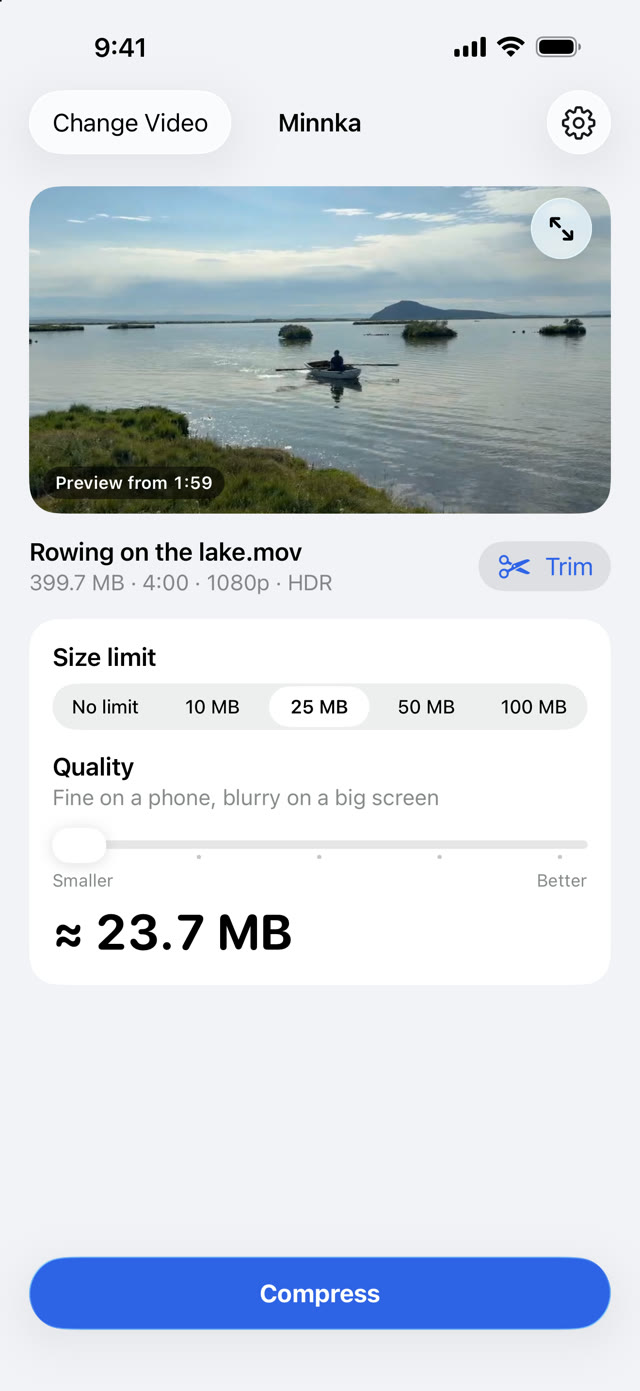
  2. The preview playing three seconds of the compressed video

    See it first

    Preview plays three seconds of the real result, so you know how it looks before you wait for the whole video.

  3. Fits under 25 MB: Rowing on the lake-small.mp4, 23.6 MB, 94 % smaller

    Compress and send

    Minnka checks the result against your limit. Save it to Photos, or share it to Mail, Messages or your school's app.

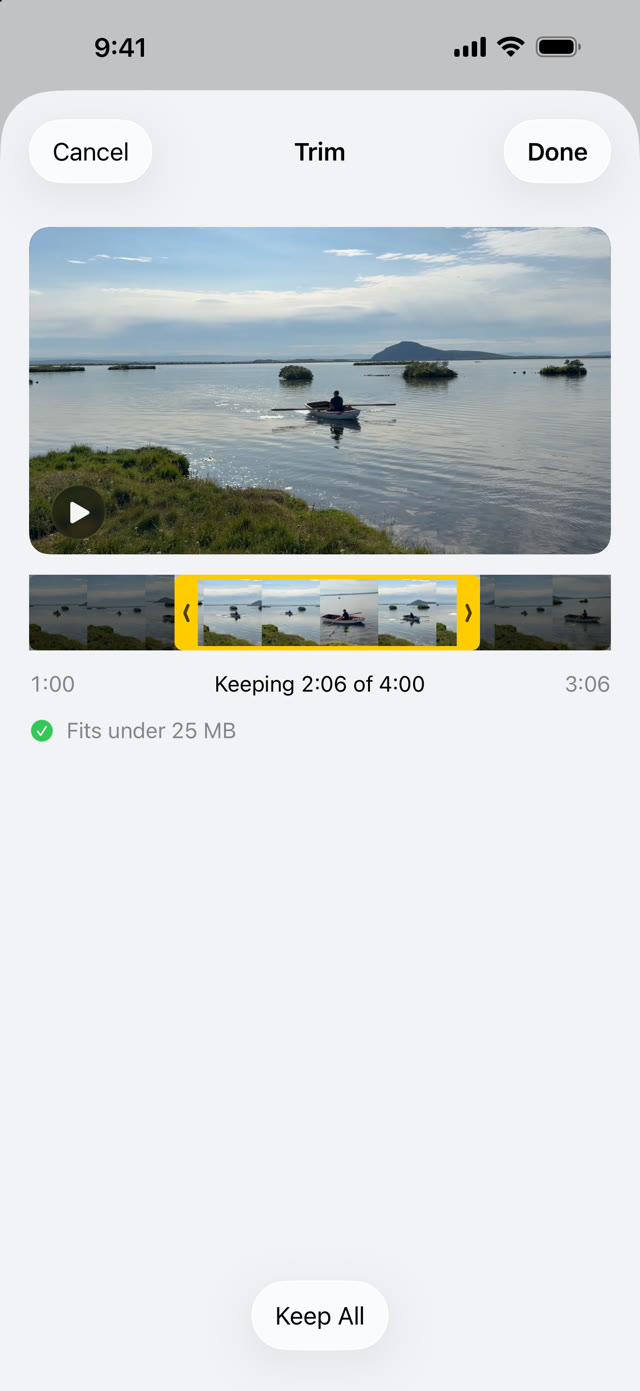
The trim sheet keeping 2:05 of a 4-minute video, with yellow handles on a filmstrip. It says: Fits under 25 MB.
Trim to fit

Too long for the limit? Keep the part that matters.

When a video can't fit without looking bad, Minnka says how long it can be. Trim to Fit opens the trim sheet on the longest part that fits. Drag the yellow handles, as in Photos.

Too long for 25 MB. Videos up to about 5:30 fit.
Trim to Fit…If your upload takes 50 MB:Use 50 MB
Will it fit?

Know the size before you start.

Try a typical iPhone video. This uses the same rules as the app, so you see what Minnka would pick.

Your video
4:00
0:1510:00
Size limit
Minnka's estimate
≈ 23.7 MB540p
0.72 Mbps

Fits under 25 MB

Fine on a phone, blurry on a big screen

Straight from the iPhone≈ 680 MB

Straight from the iPhone uses Apple's own estimate for 30 fps video in High Efficiency format. With a size limit, the real file usually comes within a few percent of Minnka's estimate.

Why Minnka exists

When “good enough” is good enough.

Minnka started with a student and a video assignment. The video came straight from a phone, and the upload page had a size limit.

The teacher needed to see the work, not every pixel of it. A file that uploads beats a perfect one that doesn't.

That is why the default step is called Good: 1080p that looks sharp on phones and laptops. With a size limit, Minnka goes as far as it has to and tells you plainly how it will look.
Features

Made for the upload box.

Minnka does one job. These are the details that make the file work wherever it ends up.

Plays everywhere

An MP4 with H.264 video and AAC audio. It opens on Windows and Mac, in every browser, and in school and work upload systems.

Colors stay right

iPhone HDR video is converted to standard color, so it doesn't look grey and washed out on a Windows PC.

Always upright

Portrait video is turned in the picture itself, so it plays the right way up in every player.

Honest about quality

Every step says how it will look, from “Sharp on a big TV” down to “Fine on a phone, blurry on a big screen”.

Stays on your device

Compression runs on your iPhone's, iPad's or Mac's own video hardware. Nothing is uploaded, and there is no account. The location is removed; the recording date is kept.

Quick

On an M3 Mac, a minute of 4K iPhone video becomes 1080p in 6 to 8 seconds.

iPhone, iPad and Mac

Where your videos already are.

Right from Photos

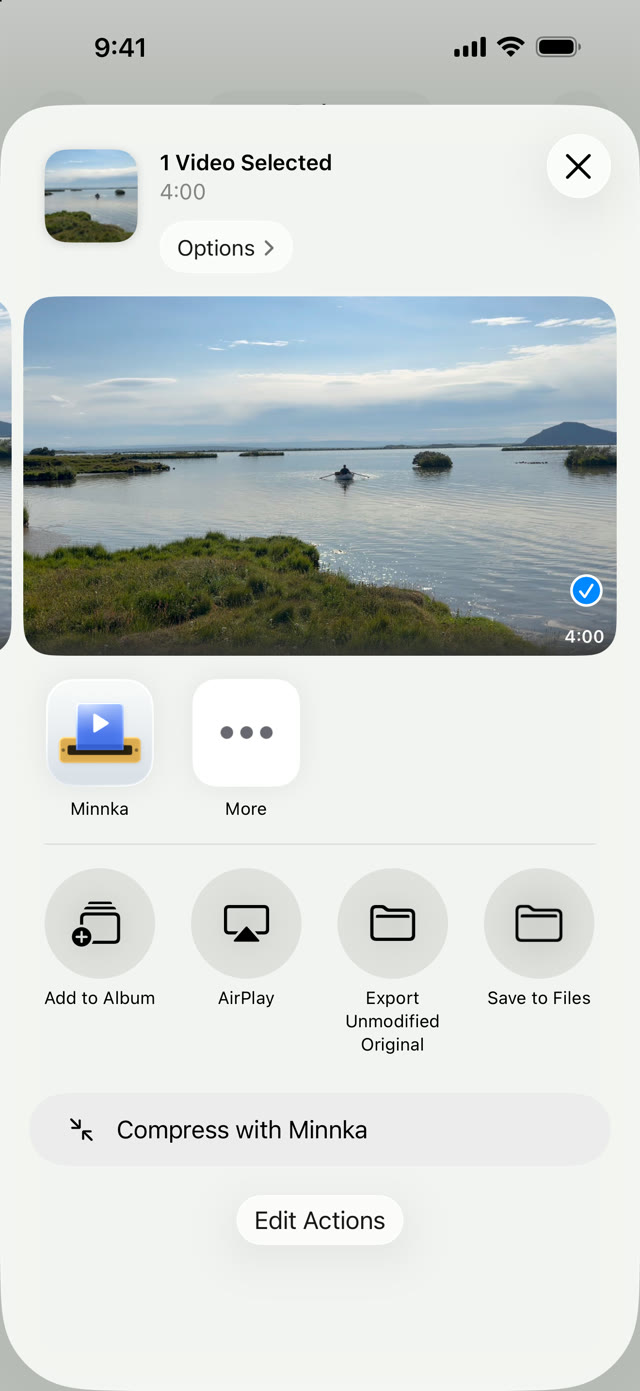
In Photos, tap Share and choose Minnka. Save the small copy to Photos, or send it on without opening the app.

For a long video, choosing it inside Minnka is faster: Photos converts videos before it shares them.

The Photos share sheet with Minnka in the row of apps and Compress with Minnka below

On the Mac

Drop a video on the window or the Dock icon, or choose Share › Compress Video in Photos or Finder. When it's done, drag the file straight into an upload field.

iPad

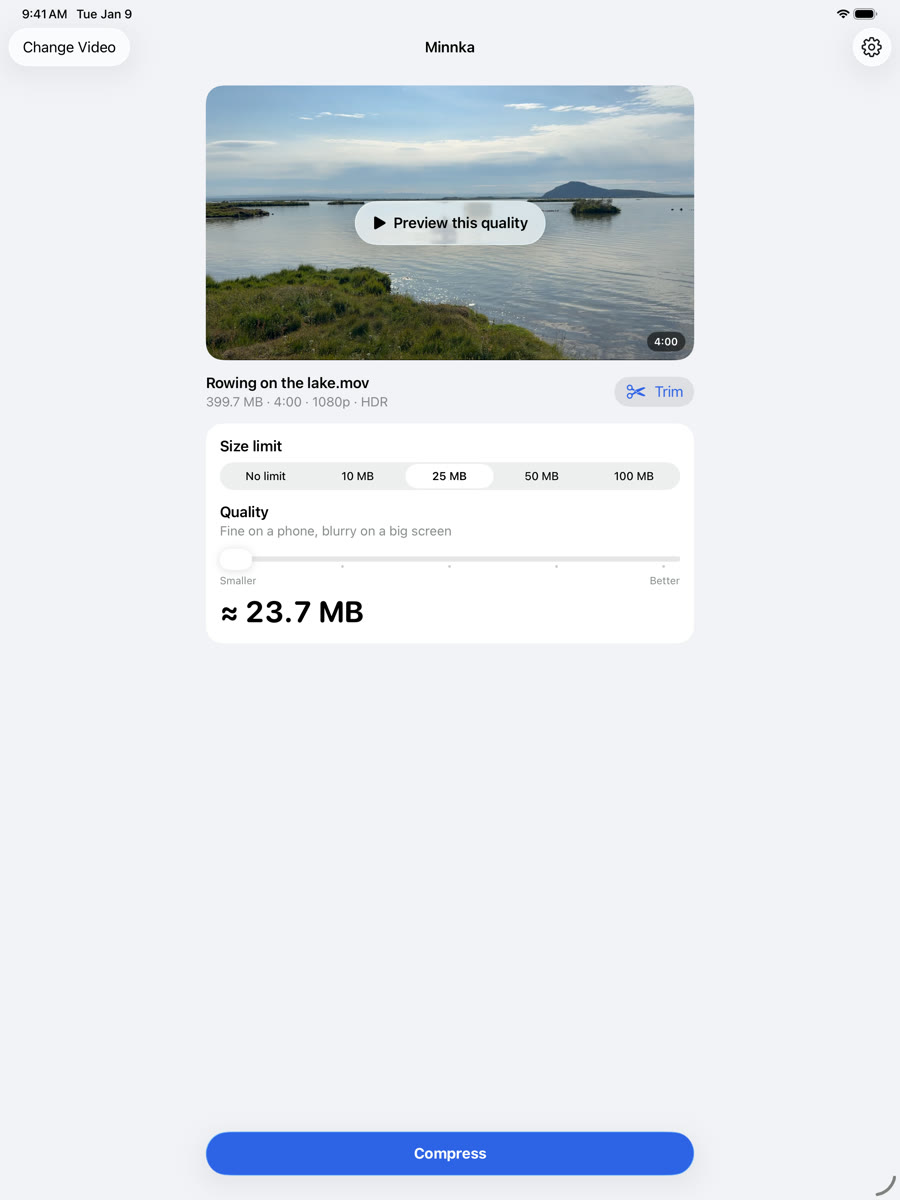
The same app on the big screen, with the same size limits, preview and trim.

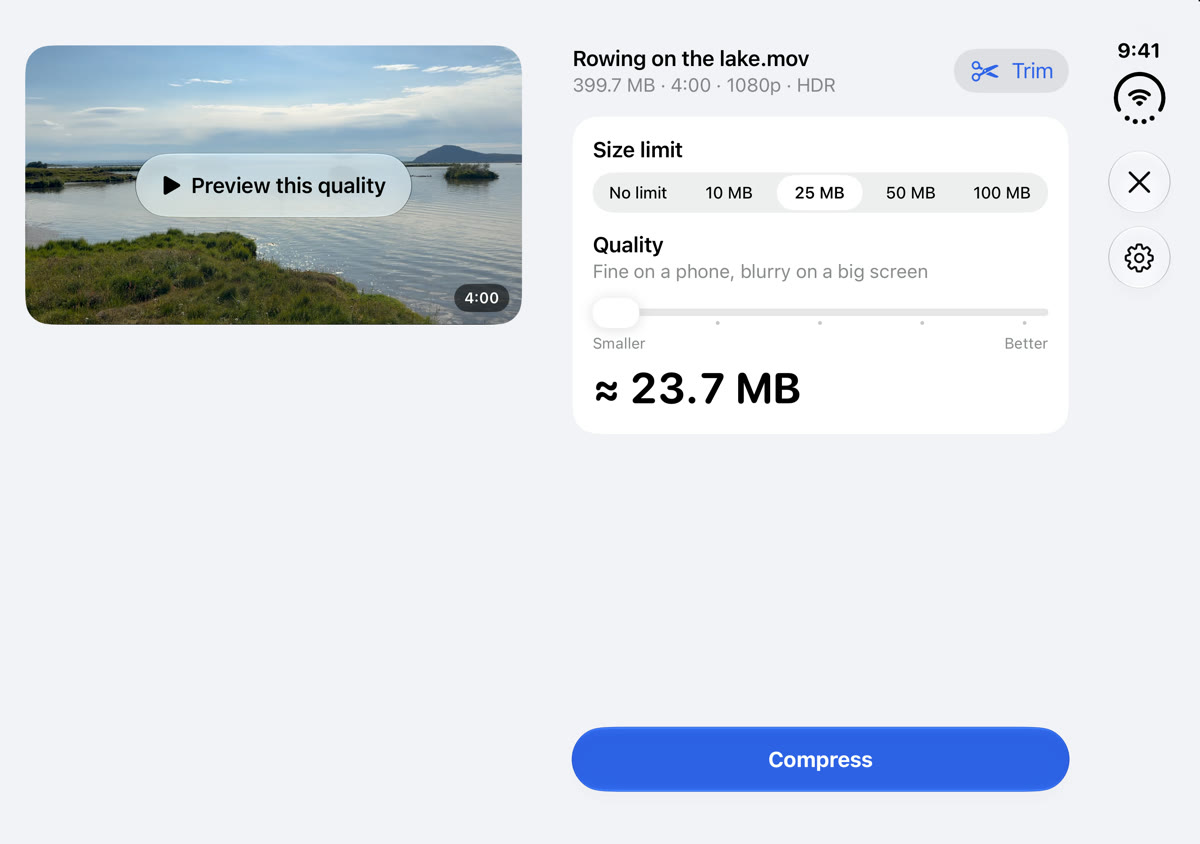
Minnka on iPad with the 25 MB limit selected

iPhone Duo

Closed, Minnka fits the narrow outer screen. Open, the video and the choices sit side by side, clear of the fold.

Minnka on the iPhone Duo's outer display: Fits under 25 MB Minnka on the open iPhone Duo: the video on the left, the size limit and estimate on the right
Questions

Before you ask.

Will my video still look good?

Without a size limit, the default step, Good, turns 4K iPhone video into 1080p that looks sharp on phones and laptops, at about 46 MB a minute. With a tight limit and a long video, Minnka goes lower and says so: the caption tells you how it will look. Tap Preview this quality to see three seconds before you compress.

How long a video fits in 25 MB?

About five and a half minutes, at a quality that is still fine on a phone. Longer than that, Minnka offers to trim it, or to use a larger limit if your upload takes one.

Does Minnka upload my videos?

No. Everything happens on your iPhone, iPad or Mac. Minnka has no account and collects no data.

Where does the small file go?

On iPhone and iPad, you save it to Photos or share it on. On the Mac it goes to Downloads by default, as the original name with “-small” added. You can choose another folder, or be asked every time.

Can I compress several videos at once?

Not yet. Minnka works with one video at a time.

Why not HEVC, which is smaller?

Some Windows PCs need an add-on to play HEVC, so a school or office computer might not open the file. Minnka makes H.264 by default. You can choose HEVC in Settings on iPhone and iPad, and in advanced mode on the Mac.

What do I need?

An iPhone or iPad with iOS 17 or later, or a Mac with macOS 14 or later. Apple silicon and Intel Macs both work.

How do I get in touch?

Email [email protected] with questions, problems or ideas. If a video doesn't come out right, say which device you used and how long the video is.

The Minnka app icon

Make it fit.

Minnka is coming to the App Store for iPhone, iPad and Mac.

Questions or ideas? [email protected]